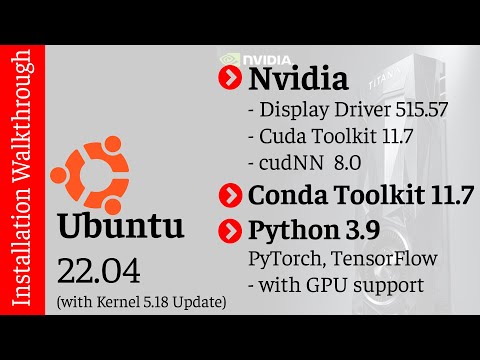
This video is all you need to get your Ubuntu 22.04 Deep Learning machine ready with the following:
- Ubuntu Kernel 5.18 Update
- Latest Nvidia Display Driver 515.57
- Cuda Toolkit 11.7
- cuDNN 8.0 Installation
- Conda Toolkit 11.7
- Python 3.9
- Torch with GPU Support
- TensorFlow with GPU support
| 🔥 YouTube Video: Deep Learning Rig |
|
|
$ sudo apt update
$ sudo apt upgrade

$ mkdir ~/work/k18
$ cd ~/work/k18

$ wget https://kernel.ubuntu.com/~kernel-ppa/mainline/v5.18/amd64/linux-headers-5.18.0-051800_5.18.0-051800.202205222030_all.deb

$ wget https://kernel.ubuntu.com/~kernel-ppa/mainline/v5.18/amd64/linux-headers-5.18.0-051800-generic_5.18.0-051800.202205222030_amd64.deb

$ wget https://kernel.ubuntu.com/~kernel-ppa/mainline/v5.18/amd64/linux-image-unsigned-5.18.0-051800-generic_5.18.0-051800.202205222030_amd64.deb

$ wget https://kernel.ubuntu.com/~kernel-ppa/mainline/v5.18/amd64/linux-modules-5.18.0-051800-generic_5.18.0-051800.202205222030_amd64.deb

$ sudo dpkg -i .deb
$ sudo reboot
$ wget https://developer.download.nvidia.com/compute/cuda/repos/ubuntu2204/x86_64/cuda-ubuntu2204.pin
$ sudo mv cuda-ubuntu2204.pin /etc/apt/preferences.d/cuda-repository-pin-600
$ wget https://developer.download.nvidia.com/compute/cuda/11.7.0/local_installers/
$ cuda-repo-ubuntu2204-11-7-local_11.7.0-515.43.04-1_amd64.deb
sudo dpkg -i
$ cuda-repo-ubuntu2204-11-7-local_11.7.0-515.43.04-1_amd64.deb
$ sudo cp /var/cuda-repo-ubuntu2204-11-7-local/cuda-*-keyring.gpg /usr/share/keyrings/
$ sudo apt-get update
$ sudo apt-get -y install cuda
- Display Drivr - 515.57
- Cuda Toolkit - 11.7
- nvcc - 11.7
- gcc & g++ - 11.2
- cmake - 3.22.1
- Download tar from https://developer.nvidia.com/rdp/cudnn-download
- File:: cudnn-linux-x86_64-8.4.1.50_cuda11.6-archive.tar.xz
$ cd Downloads
$ tar -xzvf cudnn-linux-x86_64-8.4.1.50_cuda11.6-archive.tar.xz
$ sudo cp cudnn/include/cudnn*.h /usr/local/cuda-11.7/include
$ sudo cp -P cudnn/lib/libcudnn* /usr/local/cuda-11.7/lib64
$ sudo chmod a+r /usr/local/cuda-11.7/include/cudnn*.h /usr/local/cuda-11.7/lib64/libcudnn*
$ sudo apt update
Conda Cuda toolkit 11.7
- https://anaconda.org/nvidia/cuda-toolkit
- conda install -c nvidia/label/cuda-11.7.0 cuda-toolkit