An open-source Character.AI alternative — an interactive, high-fidelity AI companion portal where users can explore preset personas, forge custom AI characters, fine-tune LLM parameters per chat, and purchase premium interaction credits.
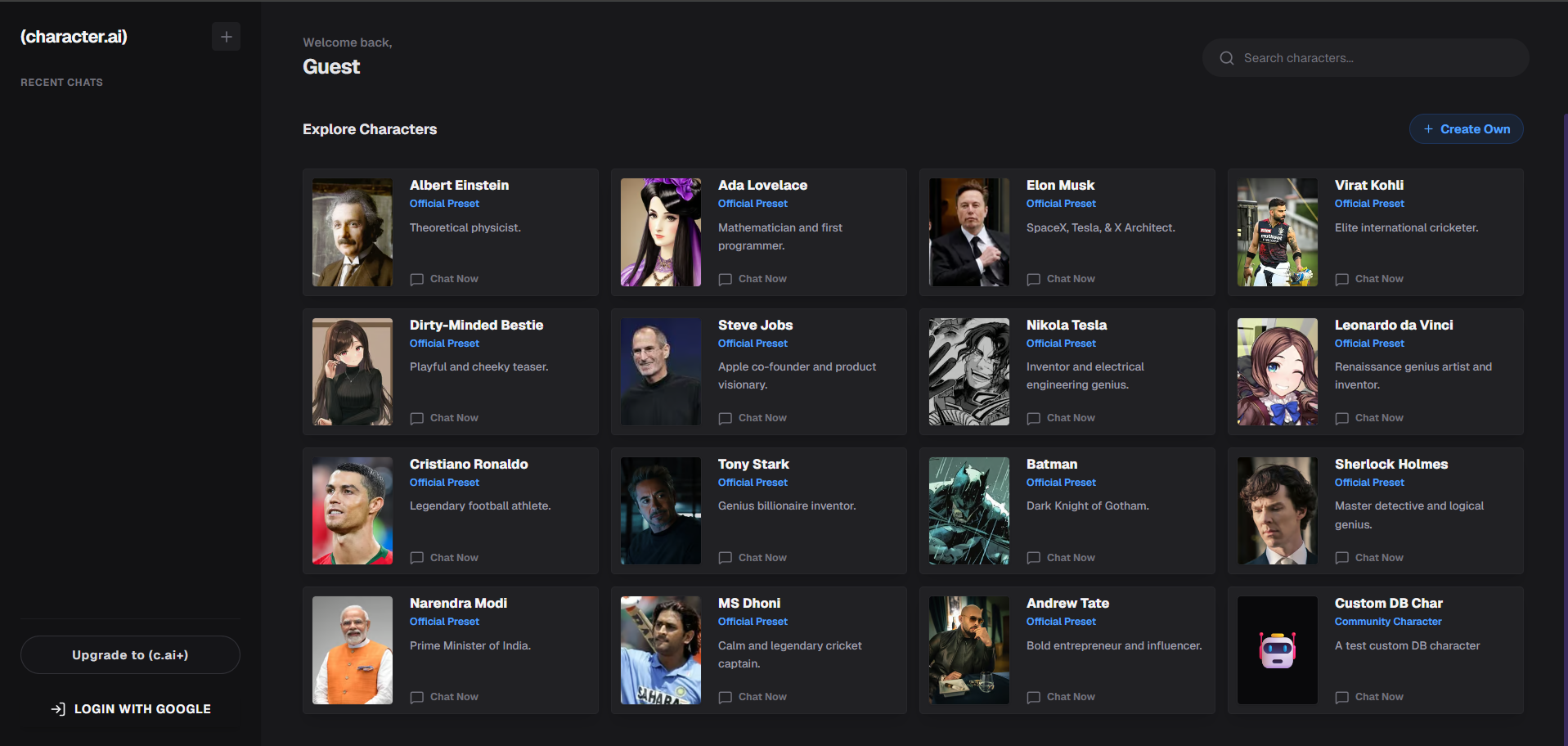
- Futuristic Glassmorphic UI: Premium dark mode design featuring interactive message bubbles, typing indicators, and LLM tuning sliders.
- Dynamic Character Creation: Forge custom personas with descriptions, greeting prompts, avatars, and a Visibility Toggle (Public vs. Private chat).
- LLM Tuning Console: Adjust model parameters (temperature, max tokens, reasoning mode) dynamically on each chat thread.
- Secure Authentication: Integration with NextAuth using Google OAuth login.
- Premium Subscription & Credits: Integrated Stripe billing to buy premium credits for advanced LLM telemetry.
- Database Engine: Prisma ORM connected to PostgreSQL for seamless syncing of chats, messages, and custom characters.
- Node.js (v18.0.0 or higher)
- PostgreSQL Database (e.g., hosted on Supabase)
- Google Developer Console Account (for NextAuth Google Login)
- Stripe Developer Account (for payment integrations)
npm installCreate a .env file in the root directory:
# Database Connection
DATABASE_URL="postgresql://postgres:[PASSWORD]@db.[PROJECT-REF].supabase.co:5432/postgres?sslmode=require"

# NextAuth Settings
NEXTAUTH_URL="http://localhost:3000"
NEXTAUTH_SECRET="your_nextauth_secret_key"

# Google OAuth Credentials
GOOGLE_CLIENT_ID="your_google_client_id.apps.googleusercontent.com"
GOOGLE_CLIENT_SECRET="your_google_client_secret"

# Muapi Api key
MU_API_KEY="your_openrouter_api_key"

# Stripe Billing Credentials
STRIPE_SECRET_KEY="your_stripe_secret_key"
NEXT_PUBLIC_STRIPE_PUBLISHABLE_KEY="your_stripe_publishable_key"
STRIPE_WEBHOOK_SECRET="your_stripe_webhook_secret"Push the schema to your PostgreSQL database:
npx prisma db pushnpm run devOpen http://localhost:3000 to view the portal.
Distributed under the MIT License.