Free VST3/AU Plugin!





No virtual audio device. No routing. Just press REC.
Whether you're creating tutorial videos, sending demos to clients, teaching online lessons,
or prepping content for Instagram Reels — DawCast records your DAW session (audio + screen) from inside the DAW.
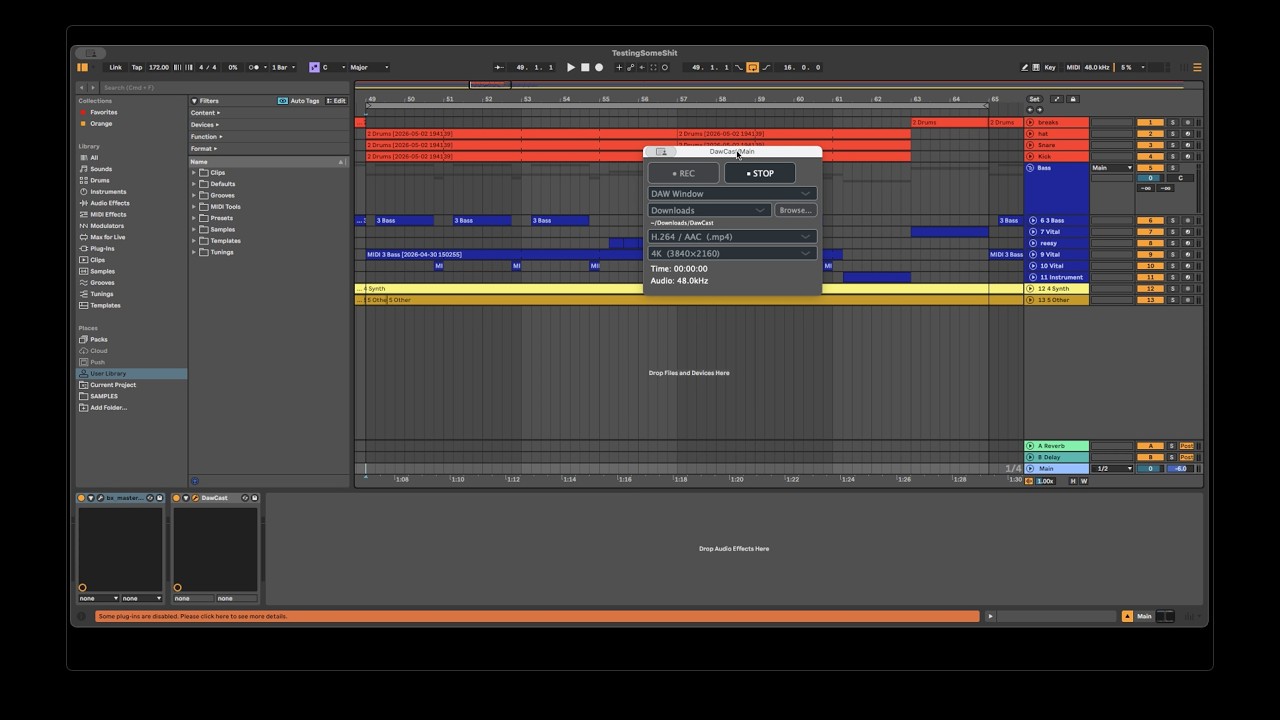
DawCast is a VST3/AU plugin that captures your DAW's master output audio and records your screen simultaneously — no virtual audio devices (BlackHole, Loopback, VB-Cable) required.
Insert it on your master channel, press REC, and you're recording.
- Audio: captured directly from DAW's internal audio buffer in
processBlock()— zero routing setup - Video: screen capture via ScreenCaptureKit at up to 60fps, hardware-accelerated by Apple Silicon
- Output: H.264/AAC MP4 or ProRes/AAC MOV — selectable in the plugin UI, muxed with sample-accurate A/V sync
- Two-process architecture: the recorder runs as a separate background process, so it can never crash your DAW
| Format | Platform |
|---|---|
| AUv2 | macOS, Apple Silicon |
| VST3 | macOS, Apple Silicon |
macOS on Apple Silicon only. Intel Macs and Windows/Linux are not supported.
For DAW-specific test results and full compatibility details, see Compatibility Page.
DAW → Master Channel → DawCast Plugin
                            ├─ Writes audio to shared memory (ring buffer)
                            └─ Sends "start" command via IPC
                                          ↓
                                  DawCast Recorder (background process)
                                      ├─ Reads audio from shared memory
                                      ├─ Captures screen via ScreenCaptureKit
                                      └─ Muxes A/V with FFmpeg → MP4 / ProRes
Download the latest release from the GitHub Releases page. Installation instructions are included on the release page.
On macOS, recording DAW audio to video has always required a workaround — typically a virtual audio device that intercepts system audio and routes it to a recording app. This adds latency, setup friction, and a point of failure outside the DAW.
DawCast eliminates the workaround entirely. As a plugin running inside the DAW, it has direct access to the final audio buffer before it reaches the audio driver. The screen recorder is launched automatically in the background when the plugin loads, and shut down when the plugin is removed. From the user's perspective, recording a session is just pressing one button.
- Compatibility reports: Sharing your DAW/OS/CPU test results in Compatibility Reports is highly appreciated.
- Bug reports: Please open them in GitHub Issues.
- Feature requests: Implementation scope is selective. Features that improve the core recording workflow are most likely to be considered.
Contributions of any kind are welcome — compatibility testing, bug fixes, and more. Contributors will be listed here by their developer or producer name.
| Name | Contribution |
|---|