Per-application volume control and OSD for Linux desktops.
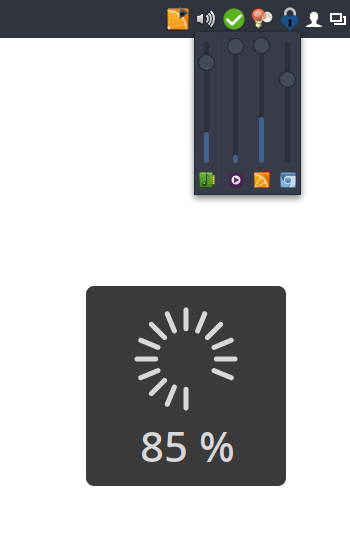
I couldn't find a simple tray icon that allows to control multiple applications easily from the task bar. So I wrote my own.
Bug reports and patches welcome!
It's not meant to be a replacement for a full-featured mixer application. If you're looking for that check out the excellent pavucontrol.
- Runs on virtually every desktop environment (via SNI)
- Control main volumes as well as individual applications
- Mute individual applications
- Shows application icons and names
- Per-application VU meter
- Click to open the mixer popup; right-click to open pavucontrol (or custom mixer application)
- Mouse-wheel support
- On-screen volume display (OSD)
- Supports X11 and Wayland
Available in AUR: volctl or volctl-bin
Install from source using Cargo:
cargo install --git https://github.com/buzz/volctl.gitInstall the GSettings schema manually.
-
Clone this repository and build in release mode:
cargo build --release
-
Copy the binary to a location in your
$PATH:cp target/release/volctl ~/.local/bin/
Install the GSettings schema manually.
volctl uses GSettings to store preferences. The schema file must be installed for the settings to work. Copy the schema XML and compile the schemas:
PREFIX="${HOME}/.local"
mkdir -p "$PREFIX/share/glib-2.0/schemas/"
curl -fsSL https://raw.githubusercontent.com/buzz/volctl/main/data/apps.volctl.gschema.xml \
  -o "$PREFIX/share/glib-2.0/schemas/apps.volctl.gschema.xml"
glib-compile-schemas "$PREFIX/share/glib-2.0/schemas/"cargo runcargo clippy
cargo fmtThis is a Rust rewrite of the original Python version. The Python
implementation is still available on the legacy-python
branch.
GNU General Public License v3.0 or later